
What is ASIO4ALL and what does it do?
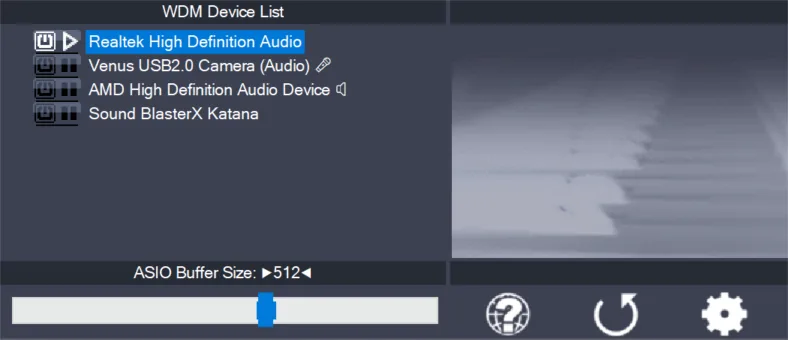
what is ASIO4ALL. The normal way to open the panel is from an ASIO-capable host. Select ASIO4ALL v2 as the audio driver, then choose the application's control panel, hardware setup, or ASIO panel button. The exact menu varies, but the panel belongs to the selected driver rather than to the Windows taskbar speaker menu.
You can also open Offline Settings without launching a host. This is useful for inspecting endpoints before a session, although the final device behavior still needs to be tested inside the DAW. Version 2.22 installs Offline Settings automatically.
If no panel opens, confirm that ASIO4ALL is installed and that the host is actually using ASIO4ALL v2. An application using WASAPI, DirectSound, Core Audio, or a native interface driver will open different controls.
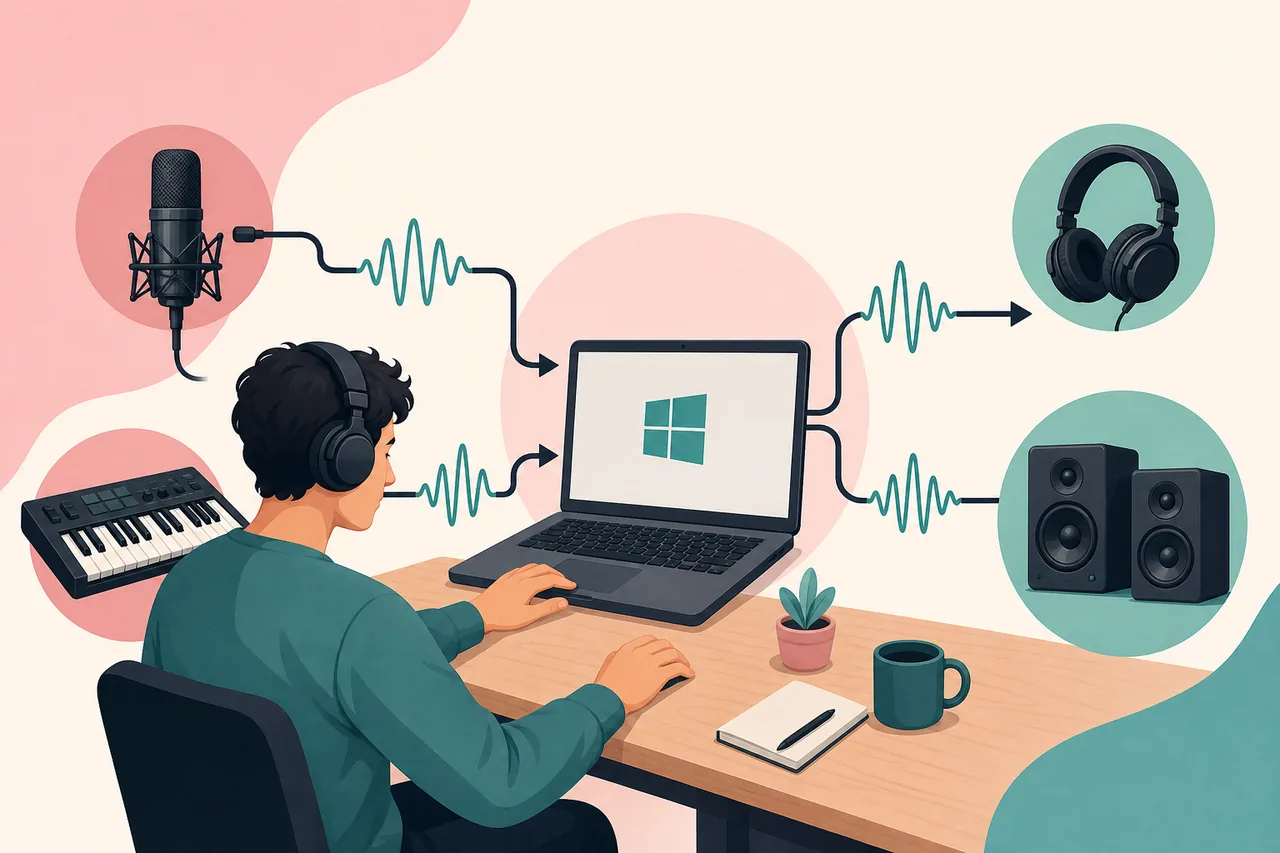
How ASIO4ALL connects a DAW to Windows audio
what is ASIO4ALL. The power control beside a device enables or disables it for ASIO4ALL. Devices may contain separate input and output endpoints, and advanced view can expand these branches. Enable the speakers or headphones you will monitor and the microphone or line input you will record. Leave HDMI, disconnected Bluetooth, and unused digital endpoints off while setting up.
A device that is available to ordinary Windows playback may still be unavailable to ASIO4ALL because another program is using it, the endpoint format conflicts, or the device is disabled. Close competing apps before assuming the driver is broken. A minimal one-input, one-output configuration is the most reliable diagnostic starting point.
Combining two unrelated devices can work, but they may use independent clocks. Over time, the streams can drift or require resampling. For critical recording, one audio interface handling both input and output is generally more predictable.
When ASIO4ALL is useful
what is ASIO4ALL. The ASIO buffer determines how much audio the computer processes at once. Smaller buffers reduce round-trip latency but increase the risk of underruns. Larger buffers increase stability while adding delay. The correct setting depends on the device, CPU, sample rate, project complexity, and whether live monitoring is required.
Start at 256 samples. Record or play a simple session and listen for clicks. If stable, try 128 samples for live input. Move toward 64 only when the system remains clean. For mixing, raise the buffer to 512 or 1024 if heavy plugins cause overloads. A number that works in an empty project may fail after adding virtual instruments and look-ahead processing.
Latency also comes from conversion, USB transport, plugins, and wireless devices. A small ASIO buffer cannot make Bluetooth monitoring suitable for precise performance. Use a wired output or an interface's direct monitoring when low delay matters.
What ASIO4ALL cannot do
what is ASIO4ALL. Advanced view exposes individual endpoints and options such as resampling and buffer synchronization. These controls exist for specific compatibility problems; they are not quality upgrades that should all be enabled. Change one option at a time and keep a note of the stable baseline.
The 2.22 release notes mention Alternative Buffer Synchronization for the Qualcomm Aqstic integrated microphone on Windows 11 ARM64. That is a targeted workaround, not a universal recommendation. Resampling can help when a device cannot open the requested sample rate, but matching the DAW and device rate directly is preferable when possible.
If changes make the system worse, return to a simple device selection and moderate buffer. The most useful control-panel skill is isolation: one host, one output, one input, one sample rate, and one change per test.
ASIO4ALL versus native ASIO and other options
what is ASIO4ALL. Yes. The official ASIO4ALL 2.22 release notes state that Windows 10 and Windows 11 are officially supported. This is a meaningful change from old download pages that still describe 2.13 or 2.15 as the current driver. The verified 2.22 installer was released on July 23, 2026 and is approximately 544 KB.
ASIO4ALL connects an ASIO-capable application to Windows WDM audio endpoints. On a Windows 11 laptop, that may include the built-in speakers, headphone output, internal microphone, USB microphone, HDMI audio, or a consumer USB sound device. It does not create hardware inputs or improve the analog quality of the device; its job is to provide a lower-latency ASIO path when a native manufacturer driver is unavailable.
Close all programs that can play or record audio before starting. This includes your DAW, browser tabs playing media, Discord, streaming software, and Windows sound settings. Closing them reduces the chance that an endpoint appears unavailable the first time the ASIO4ALL panel opens.
Current version, download source, and first setup
what is ASIO4ALL. Run the official executable and complete the normal installer. Version 2.22 always includes Offline Settings, so you will not see the old optional component choice described by outdated tutorials. When setup finishes, reopen the DAW and select ASIO4ALL v2 in its audio or device preferences. A complete Windows restart is usually not required.
ASIO4ALL 2.22 does not include a native ARM version. The official notes say it generally works well on Windows 11 for ARM64, which means it relies on Windows compatibility rather than running as native ARM code. Do not interpret that as a guarantee for every Snapdragon laptop or every built-in audio codec.
The official release notes identify a specific issue with the Qualcomm Aqstic integrated microphone. If it does not work with the defaults, open advanced settings and select Alternative Buffer Synchronization. Test the microphone and output together before a recording session. If a device manufacturer supplies a Windows on ARM driver with native ASIO support, compare it with ASIO4ALL and keep the more stable route.

What is ASIO4ALL decision checklist
what is ASIO4ALL. The normal way to open the panel is from an ASIO-capable host. Select ASIO4ALL v2 as the audio driver, then choose the application's control panel, hardware setup, or ASIO panel button. The exact menu varies, but the panel belongs to the selected driver rather than to the Windows taskbar speaker menu.
what is ASIO4ALL. The ASIO buffer determines how much audio the computer processes at once. Smaller buffers reduce round-trip latency but increase the risk of underruns. Larger buffers increase stability while adding delay. The correct setting depends on the device, CPU, sample rate, project complexity, and whether live monitoring is required.
what is ASIO4ALL. Yes. The official ASIO4ALL 2.22 release notes state that Windows 10 and Windows 11 are officially supported. This is a meaningful change from old download pages that still describe 2.13 or 2.15 as the current driver. The verified 2.22 installer was released on July 23, 2026 and is approximately 544 KB.
- Verify asio4all.org, version 2.22, and ASIO4ALL_2_22.exe.
- Compare the current native manufacturer driver before choosing the final route.
- Confirm playback, recording, stability, and settings persistence.
What is ASIO4ALL decision checklist
Is ASIO4ALL a real ASIO driver?
It supplies an ASIO-facing layer for compatible Windows WDM devices, but it is not the same as a hardware maker's driver for one specific interface.
Does ASIO4ALL improve sound quality?
It can improve routing and practical latency, but it cannot change converters, preamps, microphones, speakers, or the analog quality of the device.
Should I use ASIO4ALL or my interface driver?
Use a current native manufacturer ASIO driver first. Try ASIO4ALL when no suitable native option exists or when you need a controlled comparison.
Is ASIO4ALL free and safe?
ASIO4ALL is free. Download it only from asio4all.org and verify the destination and expected installer filename.
What is the current ASIO4ALL version?
The current verified release is ASIO4ALL 2.22, published July 23, 2026 and rechecked on July 29, 2026.
Get ASIO4ALL 2.22, then return to this guide for setup.
The official download opens after a 15-second source check.